The Match Score explained
How flat-finder.ch turns your criteria into a 0–10 score for every listing — the math, the reasoning, and why the number is only half the story.


Part of the flat-finder.ch build-in-public series. Find every article in the project hub.
Every listing on flat-finder.ch gets a single number: a Match Score from 0 to 10. An 8 means "this flat matches what you said you want, really well." A 3 means "here's why it doesn't — and I'll show you exactly why."
One thing to notice: the score is always a whole number. No 8.2, no 3.1. The system doesn't average its way to a decimal. It makes a judgment.
The score is not a quality rating. It's a fit rating — for you, with your criteria, right now.
Here's how it works.
Two layers, not one
Before any scoring happens, the structured hard filters decide which listings enter the pool at all: your budget, your minimum room count, your location and radius, your property types. Listings that don't fit those constraints are never fetched from the portals in the first place.
Everything that does get fetched is then scored — including one important detail: a flat that matches one of your deal-breakers is not excluded from the results. It shows up, capped at a score of 0–2. You decide whether "0–2" is acceptable to you.
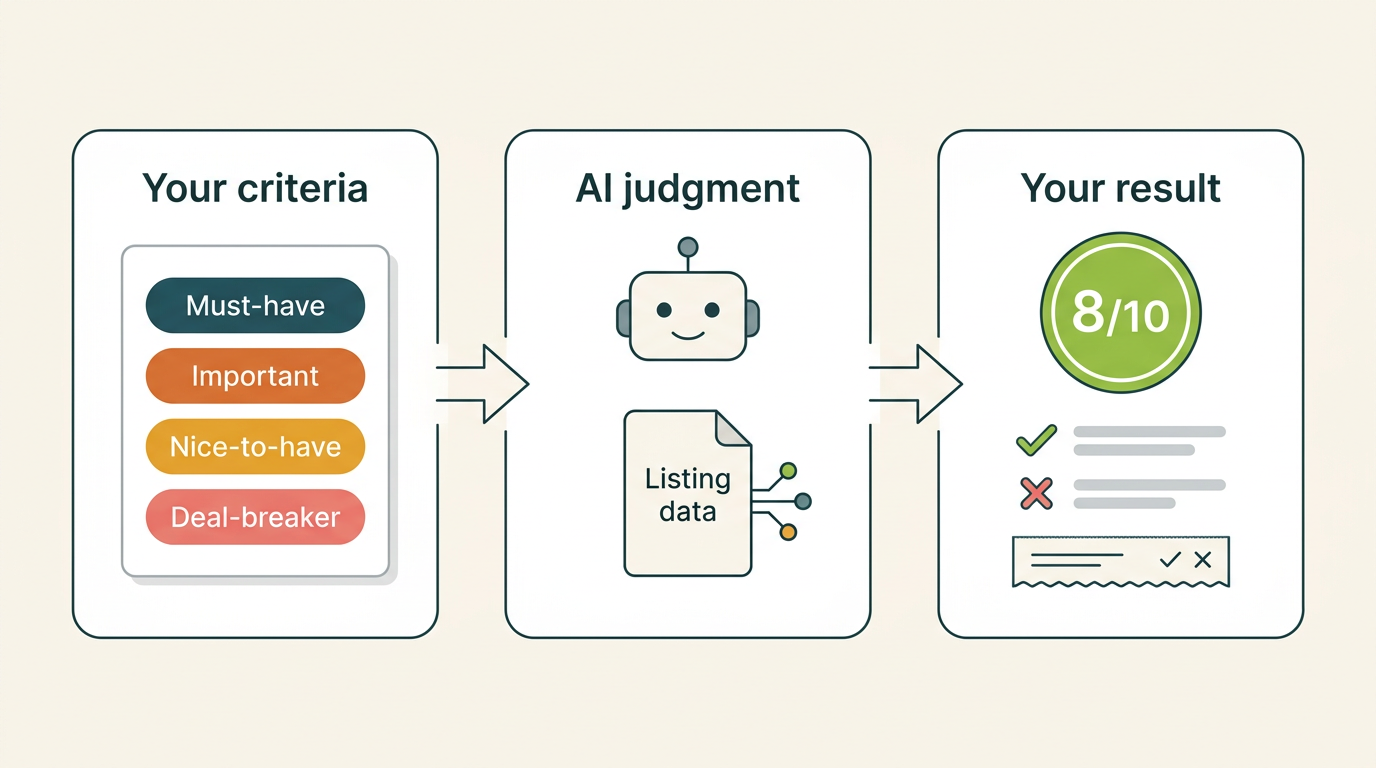
The second layer does the scoring. An AI model, prompted to behave like a professional real-estate consultant, reads the raw data of one listing together with the criteria you saved in your search form. For each listing it returns a structured result: an integer score, a written reason, a one-line summary of which of your criteria drove the number — plus a few flags.
Your criteria, in four tiers
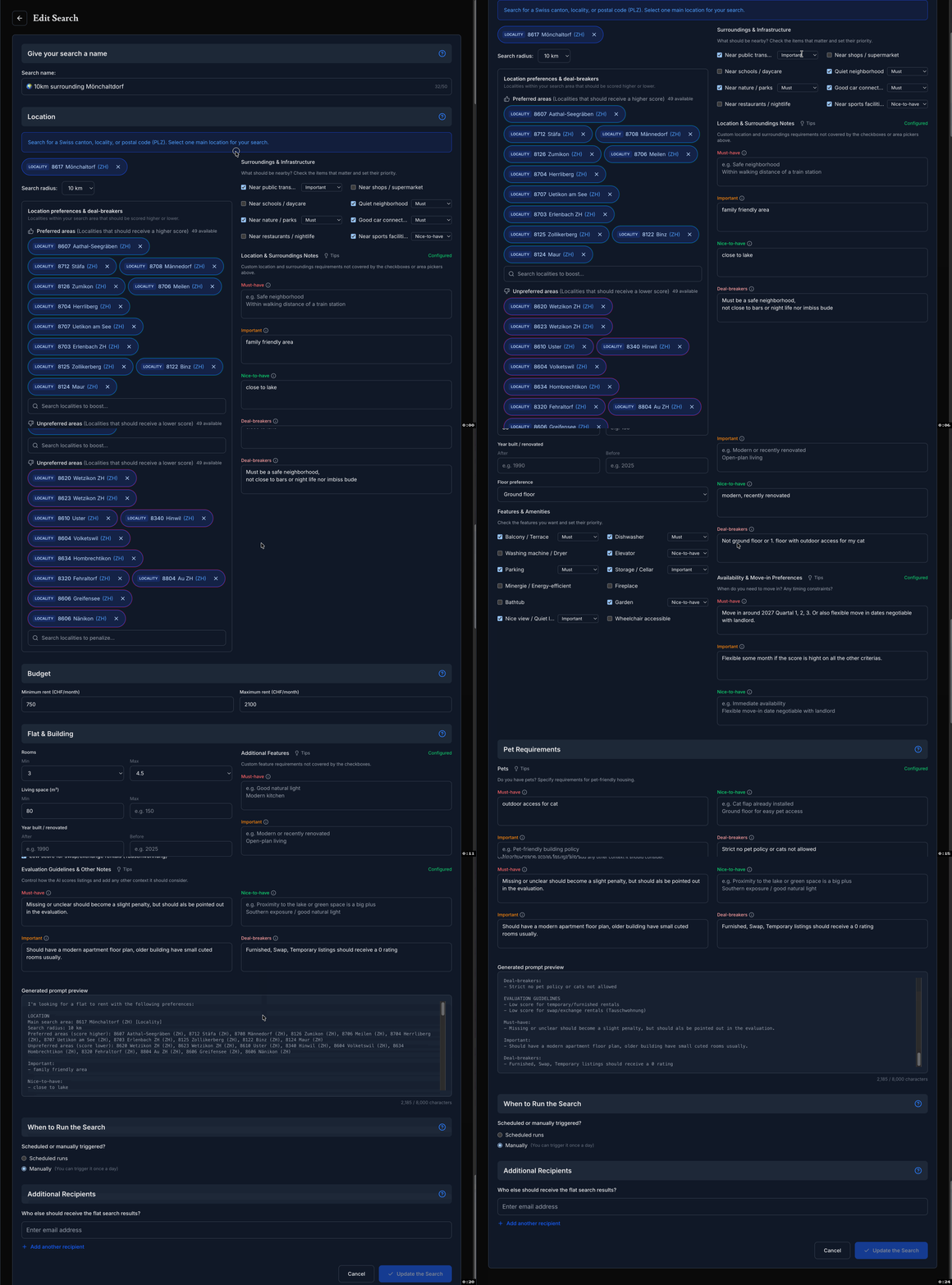
In the search form you don't just list what you want — you rank it. Every criterion sits in one of four priority tiers (plus a free notes field):
- Must-have — a hard requirement. If a listing misses one, the score takes a significant hit: typically 2 to 3 points per missing item. Miss several must-haves and the score lands in the 0–3 range.
- Important — a strong preference. Missing it costs 1 to 2 points.
- Nice-to-have — a bonus if present, worth roughly half a point to a full point. Its absence never lowers the score. A flat without a balcony is not penalized because you'd have liked a balcony.
- Deal-breakers — if the listing matches even one of them, the score must land at 0–2, no matter how good everything else is.
Two rules sit above the tiers. Budget and room count are hard constraints: a listing outside your ranges scores 0–3 unless the deviation is minor. Minimum living space is a hard constraint; maximum living space is a soft preference. And missing information is treated as "unknown" — if the ad doesn't say whether pets are allowed, that is never held against the flat. Absence of information is not the same as absence of the feature.
From 0 to 10, in whole steps
Each whole number carries a label, so the score reads like a verdict:
| Score | Label |
|---|---|
| 0 | No match |
| 1 | Very poor |
| 2 | Bad match |
| 3 | Poor match |
| 4 | Weak match |
| 5 | Decent match |
| 6 | Fair match |
| 7 | Good match |
| 8 | Great match |
| 9 | Excellent match |
| 10 | Perfect match |
In the interface the badge runs on a color scale — gray, red, orange, amber, yellow, lime, green — so the ranking is visible before you read a word.
The reasoning is the point
The number is a summary. The reasoning is the substance.
For every listing, the AI writes a short breakdown: one to three sentences that sum up the judgment, then a Pros list and a Cons list — with specifics, not vibes.
Things the listing doesn't say show up as "not stated" items inside that reasoning — for example "no mention of pet-friendliness". That's deliberate: an ad that doesn't mention the pet policy hasn't said no.
The whole reasoning comes in your interface language, English or German.
This is why a score of 5 can be more useful than a score of 7. The reasoning might show that the 5 has one trade-off you don't care about, while the 7 has a subtle problem you hadn't considered.
The receipt: "Criteria impact on rating"
The reasoning tells you the story. Sometimes you don't want a story — you want the answer in one glance. That's what the "Criteria impact on rating" line on every listing card is for.
It's a compact one-liner, deliberately not prose. The score comes first. Then the criteria that decided it, most decisive first, separated by pipes. Each criterion carries a marker:
- ✓ — your criterion, met
- ✗ — your criterion, not met
- ? — not stated in the listing (no deduction)
- ✗✗ — one of your deal-breakers was triggered
Here's a real one from the product:
5/10 - radius ✗ (Wermatswil > 3 km, violates wanted search radius, -3) | move-in ✗ (Dec 2026, misses wanted move-in window, -1) | rooms ✓ (5.5 >= min) | budget ✓ (within max) | cats ? (not stated)
Read it and you know in two seconds why this flat is a 5: the radius violation cost three points, the move-in date cost one, rooms and budget were fine, and the cat question was simply unanswered — no deduction, because missing information is "unknown", not "no".
That's the design goal: this line is the score's receipt. It should let you fine-tune your search straight from it — raise the radius, relax the move-in date — and it must never claim a criterion the score doesn't actually reflect.

The small extras
Each listing also comes with a few flags and extracts: whether it looks like a temporary or sublet arrangement, whether it's a swap or exchange rental, and — when the ad mentions it — the original sentence about viewing appointments, parking, or in-flat laundry. You can check the source text instead of trusting a paraphrase.
The calibration loop
Here's what most people notice in their first week: the initial scores feel a little off.
That's normal. Your first criteria are a best guess. You think "balcony is a nice-to-have." Then you look at the top matches and notice they all have outdoor space. The ones without it? You're not excited.
So you go back to the form and move "outdoor space" up a tier — from nice-to-have to important, or to must-have. Your priorities are explicit, so the system follows them.
One honest detail: the next search scores new listings with your updated priorities. Listings that were already scored keep their score — the system doesn't quietly re-grade your whole list. And the market moves on its own: new listings appear, old ones get rented, so the ranked pool refreshes over time anyway.
The loop:
- Set your criteria and their priorities
- Browse the scored results
- Notice the pattern — what excites you, what doesn't
- Adjust the tiers
- Repeat until the ranking matches your intuition
It usually takes two or three iterations. After that, the scores feel right, because you've taught the system what you actually care about — not what you thought you cared about on paper.
What the score is NOT
Three common misunderstandings:
- Not a quality rating. A score of 9 doesn't mean the flat is "good". It means it matches your criteria well. A rundown flat in your exact neighborhood at your exact budget can outscore a luxury flat in the wrong area.
- Not static. Scores of new listings always reflect your current criteria, and the pool refreshes as the market moves — so the ranking you see on Thursday is not the same pool as on Monday.
- Not a substitute for a viewing. No amount of scoring replaces walking through a space, checking the light, and feeling the neighborhood. The score tells you which flats to visit first. It doesn't tell you whether to sign the lease.
The judgment, briefly
No formula here — and that's the point. Each listing gets one AI judgment, guided by the tier rules above: hard constraints for budget and rooms, per-tier penalties, bonuses for nice-to-haves, the deal-breaker cap, and "unknown" for anything the ad doesn't say.
The hard part isn't arithmetic. It's judging edge cases honestly: a flat just outside your radius, a 2.5-room flat when you asked for 3, a price slightly over your cap. That's where the judgment lives — and it's the part we keep testing.
Try it yourself
Set up a search on flat-finder.ch. Look at the scores. Disagree with one. Move a criterion up or down a tier. Watch the ranking shift on the next search. That's the whole product in one interaction.
Next up: AIO and the new AI search world — why flat-finder.ch (and this blog) are built for a search landscape where ChatGPT and Perplexity are becoming the front page of the internet.